Download CloudStream APK v4.8.0, the Free Streaming App for Android, Fire TV and PC
Paying for three or four streaming services just to find the one show you want gets old fast. CloudStream is a free, open-source app that brings movies, TV shows, anime, and live TV into one clean player, with no subscription, no login, and no ads. Download the CloudStream APK, add one repository, and you can be watching in about five minutes.
What Is CloudStream?
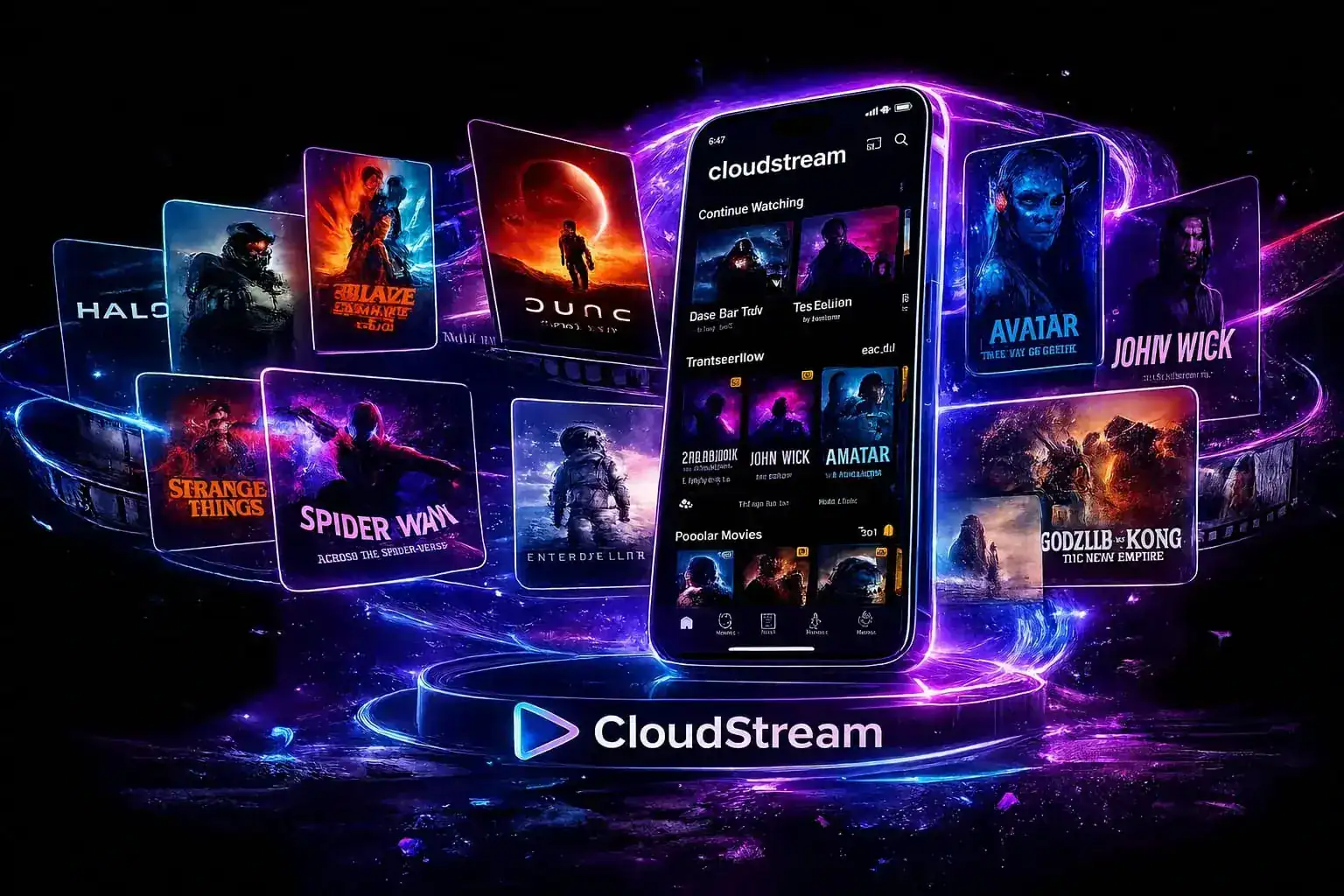
CloudStream, which many people also call CloudStream 3 or CS3, is a free media app for Android phones, Android TV, and Fire TV Stick. An open-source community builds it rather than a company, and the full source code sits publicly on GitHub at recloudstream/cloudstream under the GPL-3.0 license, with more than 9,100 stars, 800 forks, and 3,400 commits behind it.
That openness matters more than it sounds. Anyone can read exactly what the app does, report a bug, or help fix it, which is very different from the closed “free streaming apps” where you simply have to trust whatever is running on your phone.
The one thing that surprises almost everyone on first launch is that the app ships with no movies or shows inside it. The app is only the player, and you choose where the content comes from by adding a repository, which then lets you install extensions that pull in titles. So if the home screen looks empty right after you install it, nothing is broken; you just haven’t added a source yet. Our repositories and extensions guide walks you through it, and the blank screen guide covers this first-launch moment in detail.
You also won’t find it on the Google Play Store. Extension-based open-source apps like this generally aren’t accepted there, because what they can reach depends on the sources each user adds. Instead, you install it directly as an APK file, the same way people sideload many independent Android apps.
Who Is the CloudStream App Actually For?
It isn’t the right fit for everyone, so here is an honest picture before you download.
A good fit if you
are comfortable installing an app from outside the Play Store, don’t mind a five-minute one-time setup, and want full control over which content sources you use.
Not the right fit if you
want something that works instantly with zero setup, or you aren’t comfortable allowing “install unknown apps” on your device, even once.
What Can You Watch on CloudStream?
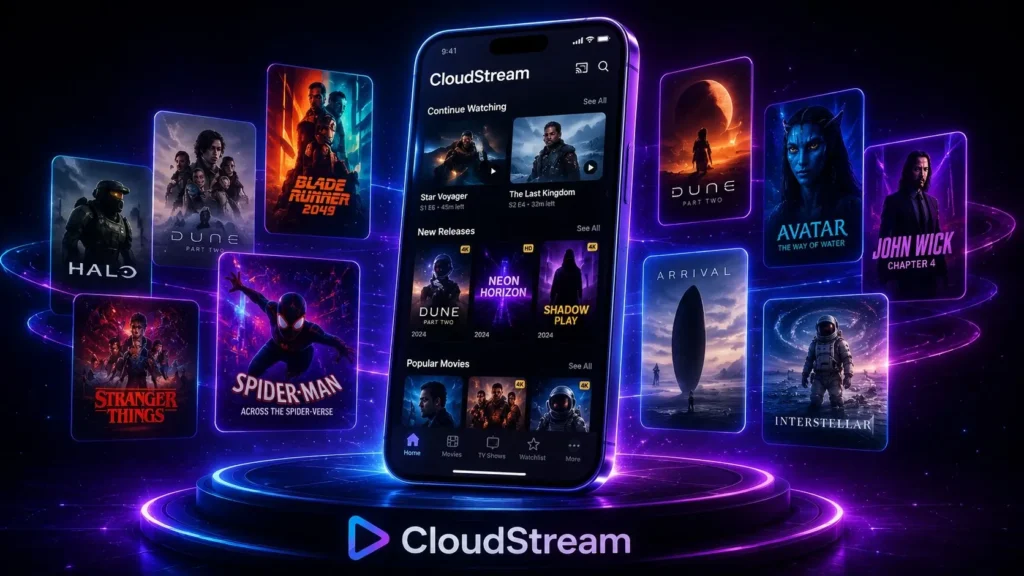
What appears depends on the repositories and extensions you add, because the app itself doesn’t decide for you. Once you set it up, most people get access to the following.
Movies
Hollywood releases, Bollywood hits, and world cinema in 720p, 1080p, and 4K where the source offers it. When one link fails, another usually works, so movie night doesn’t stall halfway.
TV shows and series
Full seasons of dramas, Korean series, Pakistani serials, and classic sitcoms, gathered from several extensions into one library you can track episode by episode.
Live TV and IPTV
News, sports, and regional channels through public playlists such as iptv-org, so you can watch live channels from many countries without a cable plan.
Anime
Subbed and dubbed anime through extensions such as HiAnime, with weekly episodes and finished classics. Manga fans can also read through MangaDex inside the same app.
Audiobooks
Free public-domain audiobooks through LibriVox, which is handy for long commutes or when you’d rather listen than watch.
YouTube, Twitch and Dailymotion
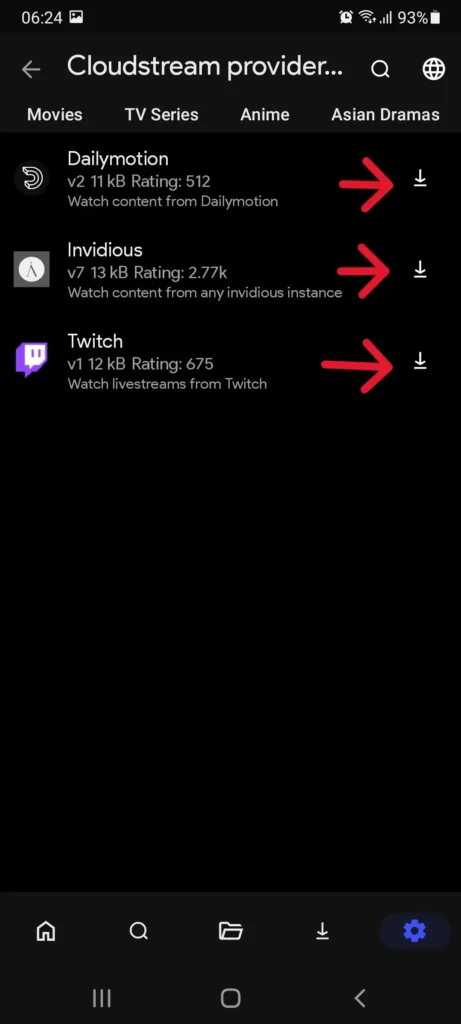
The CloudStream Providers repository adds YouTube, Twitch, and Dailymotion, and the Invidious extension lets you watch YouTube without its ads or a Google sign-in.
Regional repositories add Arabic, French, Indonesian, Spanish, Hindi, and Turkish content, and OpenSubtitles gives you subtitles in more than 130 languages for almost anything you play.
Why People Choose CloudStream Over Other Free Streaming Apps
| What you get | Why it matters |
|---|---|
| No subscription | You never pay, and no free trial quietly turns into a bill. |
| No ads and no tracking | The app itself shows no ads and collects no viewing data. |
| No account needed | There is nothing to sign up for and nothing tied to your identity. |
| Offline downloads with a queue | Save several episodes at once and watch them without internet. |
| Up to 4K quality | Quality depends on your connection and the source, not on a paid tier. |
| Skip intro button | v4.8.0 adds an intro-skip database, so you jump straight to the episode. |
| Built for Android TV and Fire TV | The layout works with a remote and now shows title details on screen. |
| Chromecast support | Cast from your phone to the TV, with steadier 4K casting since v4.7.0. |
| Several links per title | If one link is slow or down, you switch to the next in seconds. |
| Adjustable subtitles | Change size, width, timing, and language mid-video, including ASS and SSA files. |
CloudStream APK Requirements for Android
Before you download the CloudStream APK, check that your device meets these basics. If your phone runs WhatsApp smoothly, it will almost certainly run this app too.
| Requirement | Minimum |
|---|---|
| Android version | Android 5.0 Lollipop or higher |
| Storage | About 67 MB for the app, plus space for any downloads |
| RAM | 1 GB minimum, 2 GB recommended |
| Internet | Needed for streaming, but not for downloaded videos |
| Install permission | Allow “install unknown apps” for your browser or file manager |
That is everything you need. You don’t need an account, an email address, or a payment method.
How to Install CloudStream on Android
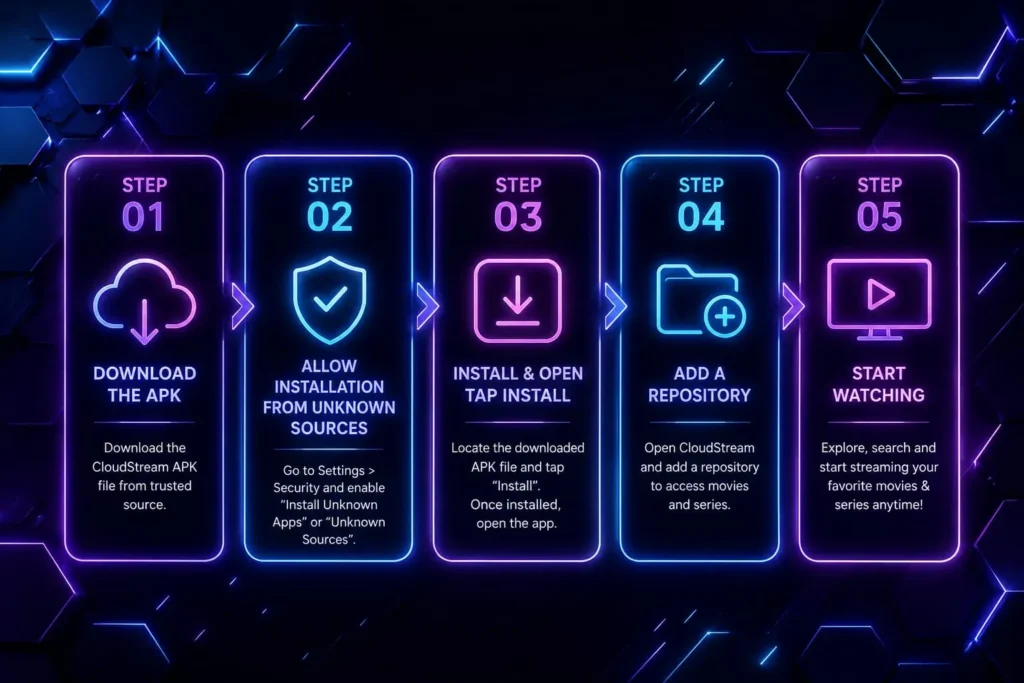
The whole process takes about two minutes. Follow these five steps in order.
Download the CloudStream APK
Tap the download button on this page. The file saves to your Downloads folder automatically.
Allow installation from unknown sources
Android blocks apps from outside the Play Store by default. When you open the APK, your phone will ask for permission, so tap Settings, turn on “Allow from this source”, and go back. On Android 8 and newer, this permission applies only to your browser or file manager, not to the whole phone.
Install and open the app
Tap Install, wait about thirty seconds, and then tap Open.
Add a CloudStream repository
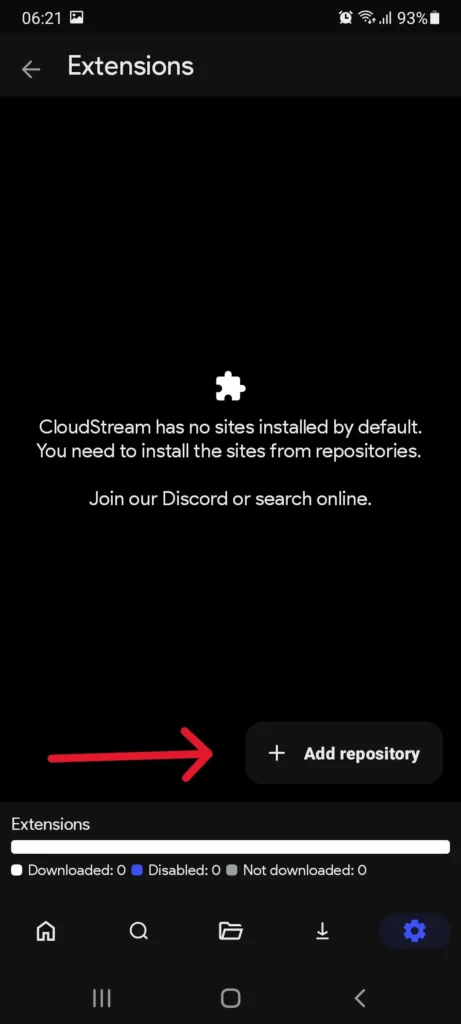
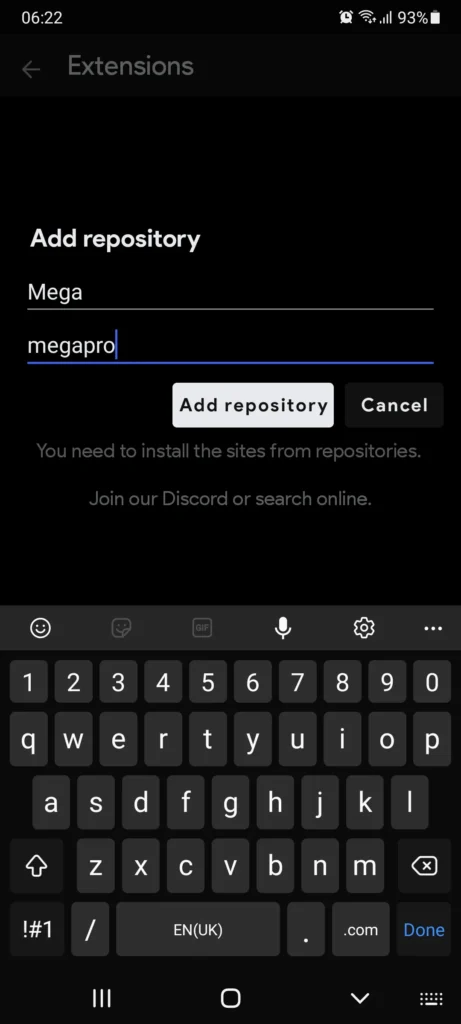
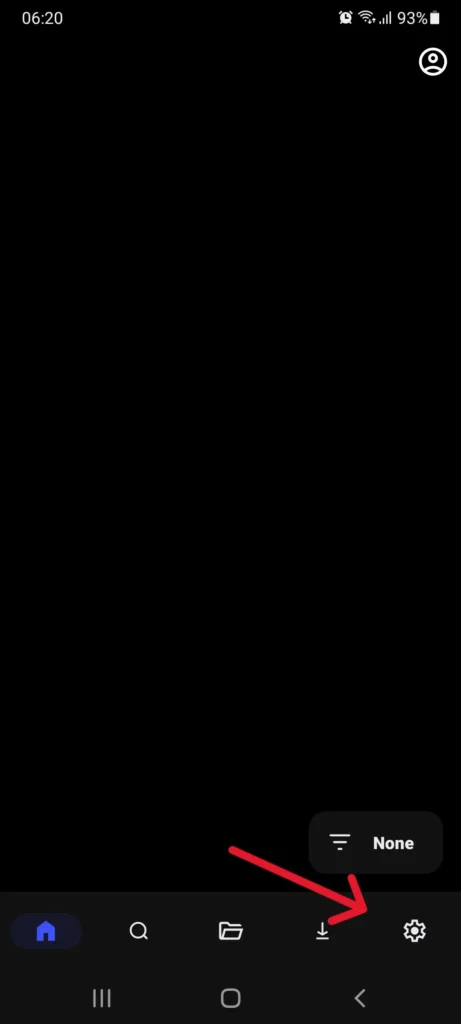
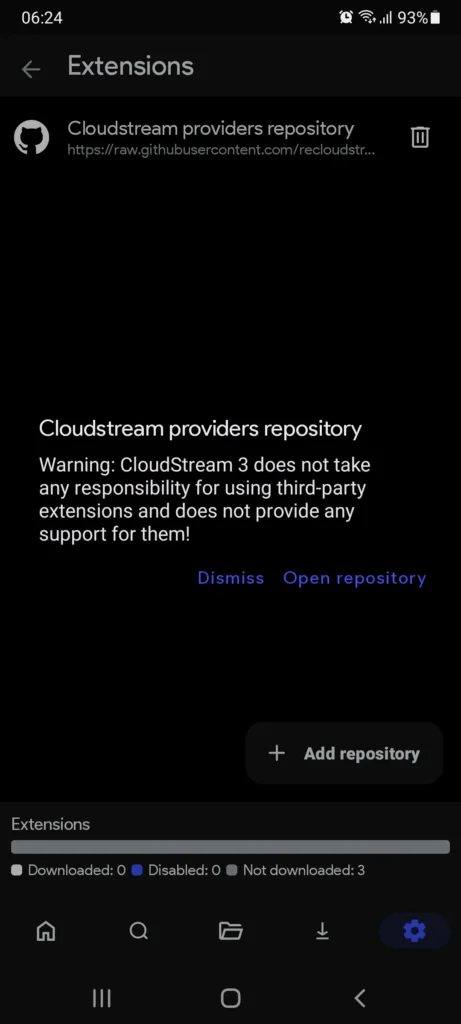
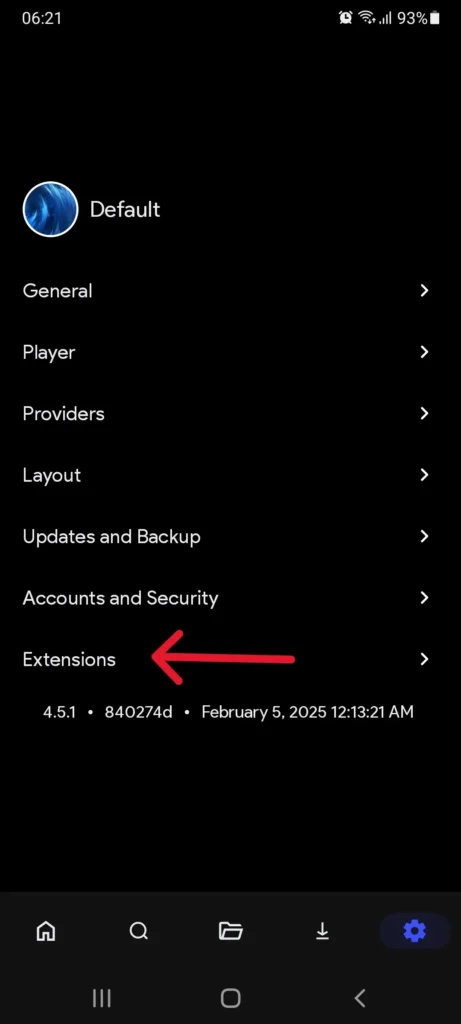
The home screen starts empty, which is normal. Go to Settings, then Extensions, then Add Repository, paste a repository URL or short code, and install the extensions you want.
Start watching
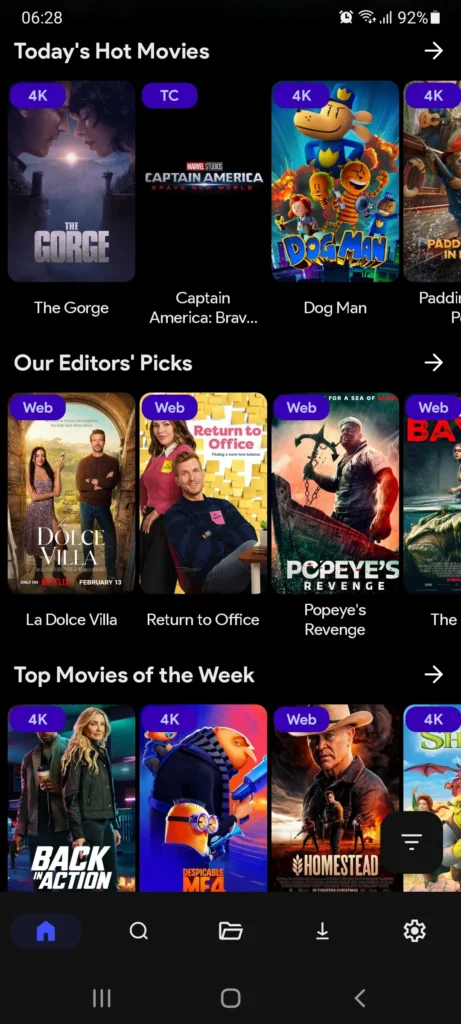
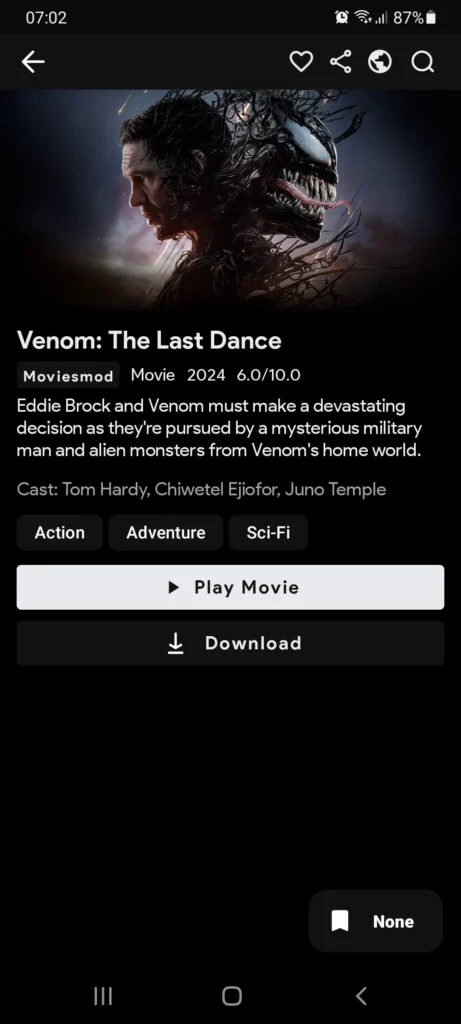
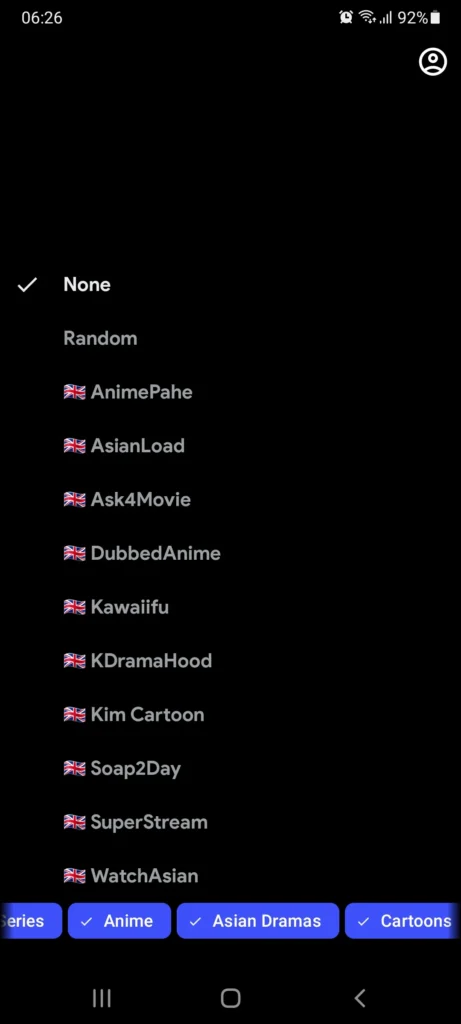
Return to Home, tap the provider selector at the bottom right (it says “None” at first), pick your extension, and content will load.
Setting it up on a TV works the same way once the app is installed. The only difference is getting the APK onto the device, because TVs don’t browse the web the way a phone does, so you’ll use the Downloader app first. Our guides for Fire TV Stick, Android TV, and PC with BlueStacks or WSA cover each device step by step.
CloudStream Repositories and Extensions
The app has no built-in content, so you add it yourself through repositories and extensions. You do this once, and after that you rarely need to think about it.
A CloudStream repository
A repository is a collection that holds many extensions, like a folder of options. You add it once by link or short code, and everything inside it becomes available to install.
A CloudStream extension
An extension connects to one content source and brings in movies, shows, anime, or live TV. Nothing installs automatically; you pick the extensions you want from inside a repository.
Repository links sometimes stop working, and that is normal. Copyright complaints, known as DMCA notices, occasionally take a link down and a new one replaces it. If a repository suddenly shows nothing, the fix is to find its current link, not to reinstall the app.
For the full, regularly checked list with direct install links, visit our CloudStream repositories and extensions page. If a link comes up dead, the No Links Found guide shows exactly what to do.
| Repository | Short code | Best for |
|---|---|---|
| CloudStream Providers | CSPR | YouTube, Dailymotion, Twitch |
| Mega Repository | MEGAREPO | General movies and shows, fast links |
| Avocado / Rowdy’s | ROWDYCADO | HiAnime, MyFlixer, MangaDex, CodeStream, Ultima |
| CSX | CSX | CineStream for Hindi and English films |
| Hexated | Link | Mixed sources with broad coverage |
| Multilingual and Arabic | Link | Arabic, French, Indonesian, and Spanish content |
How to Update CloudStream to the Latest Version
The app doesn’t update through the Play Store, but updating takes about three minutes and keeps all your repositories, extensions, and watch history. Don’t uninstall the old version first, because that can erase your setup.
Back up your setup
Open Settings, then Updates and Backup, and tap Backup. This step is optional, but it protects your data in case anything goes wrong.
Download the latest CloudStream APK
Grab v4.8.0 from our download page.
Install it over your current version
Open the file and tap Update. Android replaces the old version while keeping your data.
Open the app and check your extensions
Most extensions reconnect on their own. If any look missing, go to Settings, then Extensions, and tap refresh.
What’s New in CloudStream v4.8.0?
Version 4.8.0 builds on the large v4.7.0 update with fixes and features you will actually notice while watching. These notes come from the official release on GitHub.
New: Skip intro database.
The app now recognizes opening credits on many shows, so you can jump straight into the episode with one tap.
New: Metadata overlay on TV.
On Android TV and Fire TV, the player shows title details on screen, so you always know what you’re watching without leaving playback.
New: More external players.
You can hand playback to more outside video players, such as VLC or MX Player, when you prefer them.
Fixed: Security fixes.
The developers patched several security issues, which is a good reason to update now.
Fixed: Download fixes.
Downloads that stalled or failed in earlier versions now complete more reliably.
Updated: Filler database and UI.
The anime filler list is refreshed, and several screens got small layout and usability improvements.
Also included from v4.7.0
If you’re coming from an older version, v4.8.0 also gives you everything that arrived in v4.7.0: one-tap repository installs with automatic extension updates, 12 extra streaming providers, a download queue, torrent streaming, steadier 4K Chromecast casting, better ASS and SSA subtitle timing, adjustable subtitle width, swipe gestures for volume and brightness, zoom control, title logo artwork, and smoother performance on phones with 2 GB of RAM.
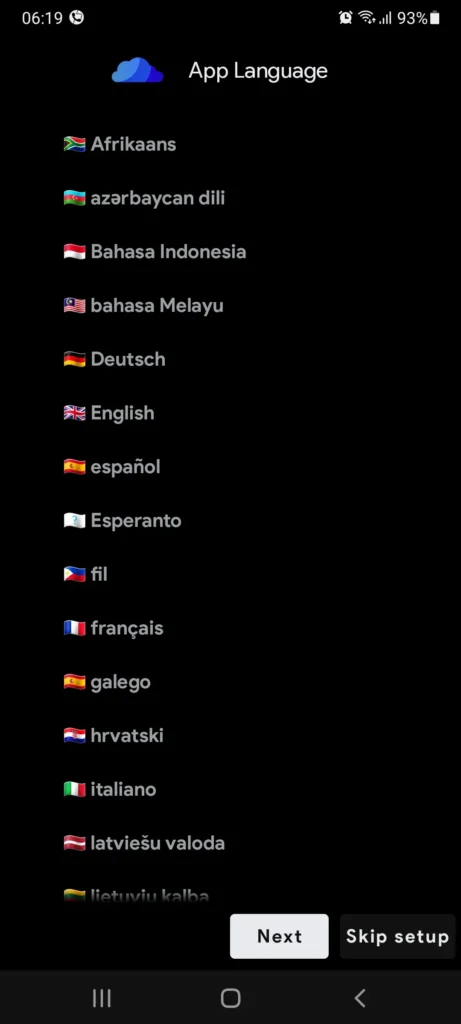
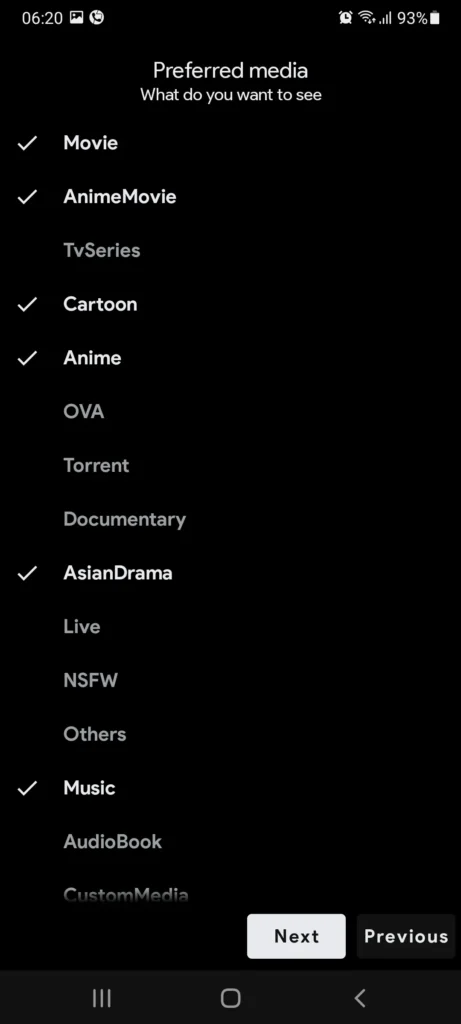
How to Use CloudStream for Smoother Streaming
Content is loading, so now make it run well. Our settings guide covers every option, and these tips make the biggest difference.
Add more than one repository
MEGAREPO handles general movies and shows, ROWDYCADO has the strongest anime and 4K extensions, and CSX covers Hindi and English films. With several sources, a dead link on one usually has a working copy on another.
Switch links when a video buffers
Tap the screen during playback and choose Sources. You’ll see every available link for that title with quality labels such as 720p, 1080p, and 4K.
Clear the cache now and then
Clearing the cache every few weeks keeps the app quick, especially on older phones and Fire TV Stick models.
Use a VPN only when a source is blocked
Most content plays fine without one. If a source is restricted in your country, a VPN usually clears it, and our VPN guide explains when it helps.
Fix subtitles in seconds
If subtitles drift, adjust timing from the player, or pick another file from OpenSubtitles. Our subtitles guide covers the trickier cases.
Turn on episode alerts
Tap the bell on any ongoing show, and the app will let you know when a new episode is out.
Extra Features Most People Miss
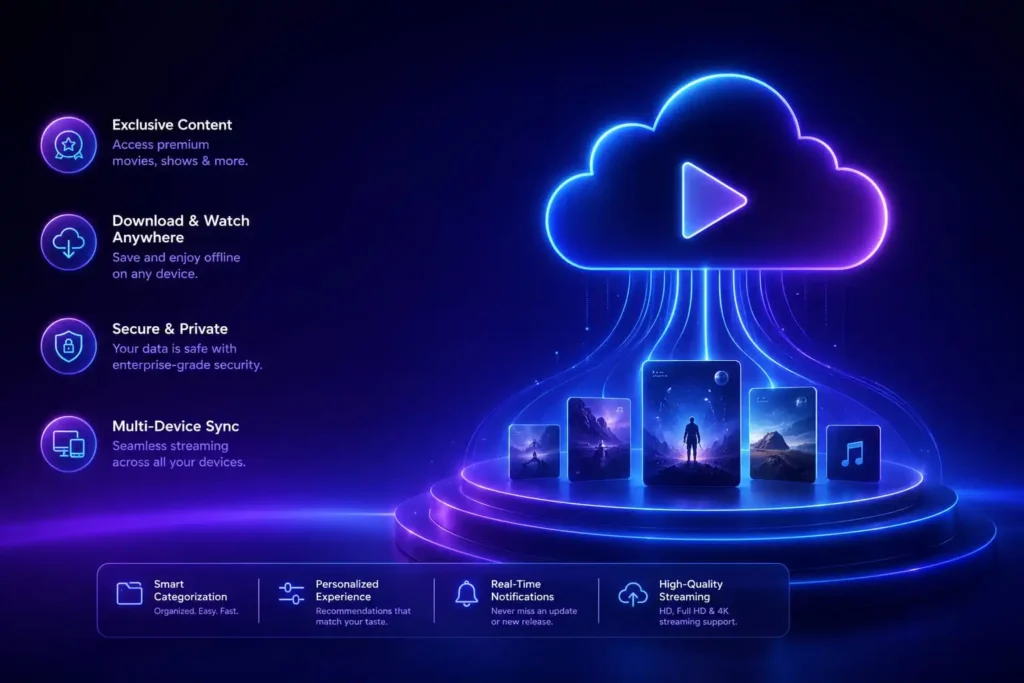
Continue watching
It remembers where you stopped, even days later, so you never have to hunt for the right minute.
Personal lists
Sort shows into Watching, Planned, Completed, or On Hold, and sync with AniList or MyAnimeList if you track anime there.
Smart recommendations
Since v4.7.0, the app suggests titles based on what you’ve watched, all on your device.
Backup and restore
Move your whole setup to a new phone in one file. If a restore fails, see our backup and restore guide.
Update Extensions Separately
Go to Settings, then Updates and Backup, and tap Update Extensions. You can also turn on automatic extension updates there.
If an Update Breaks Something
Clear the cache in Settings first. If one extension still fails, reinstall it, and our extension troubleshooting guide covers the rest.
Roll back if you need to
Every earlier build stays on the GitHub releases page, and you can also check GitHub Issues to see if others have the same problem.
Two Ways to Add a CloudStream Repository
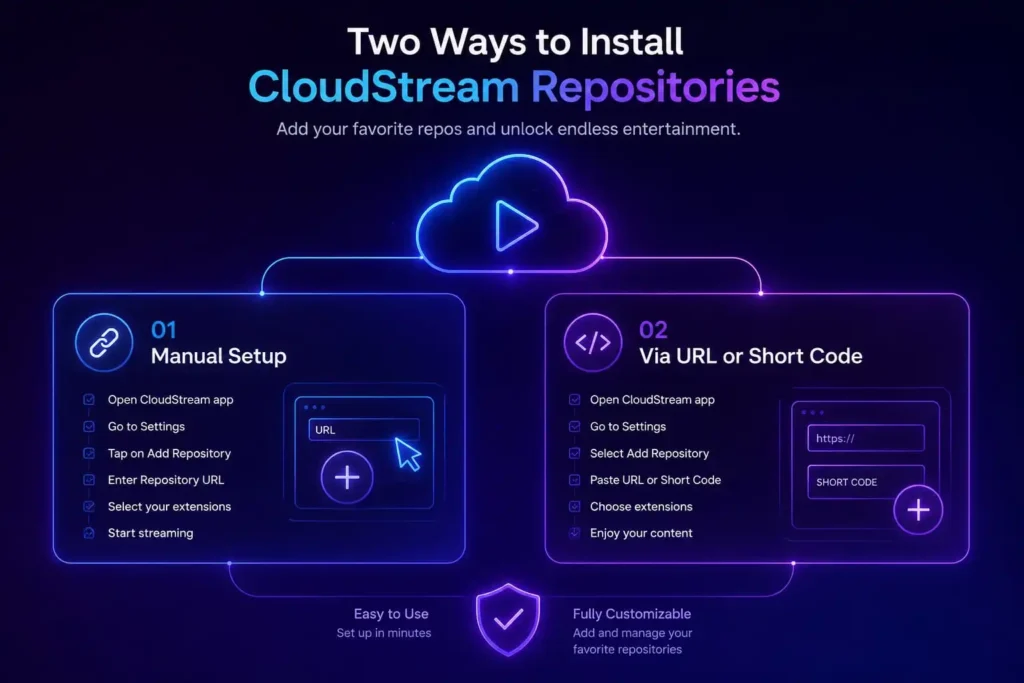
Add a repository by URL or short code
Open Settings, go to Extensions, tap Add Repository, paste the URL or short code, install the extensions you want, then pick one from the provider selector on Home.
One-tap repository install
Tap the Direct Install button next to a repository on our list. The app opens on its own, you tap Open Repository, download the extensions you want, and go back to Home to start watching.
CloudStream vs Other Free Streaming Apps
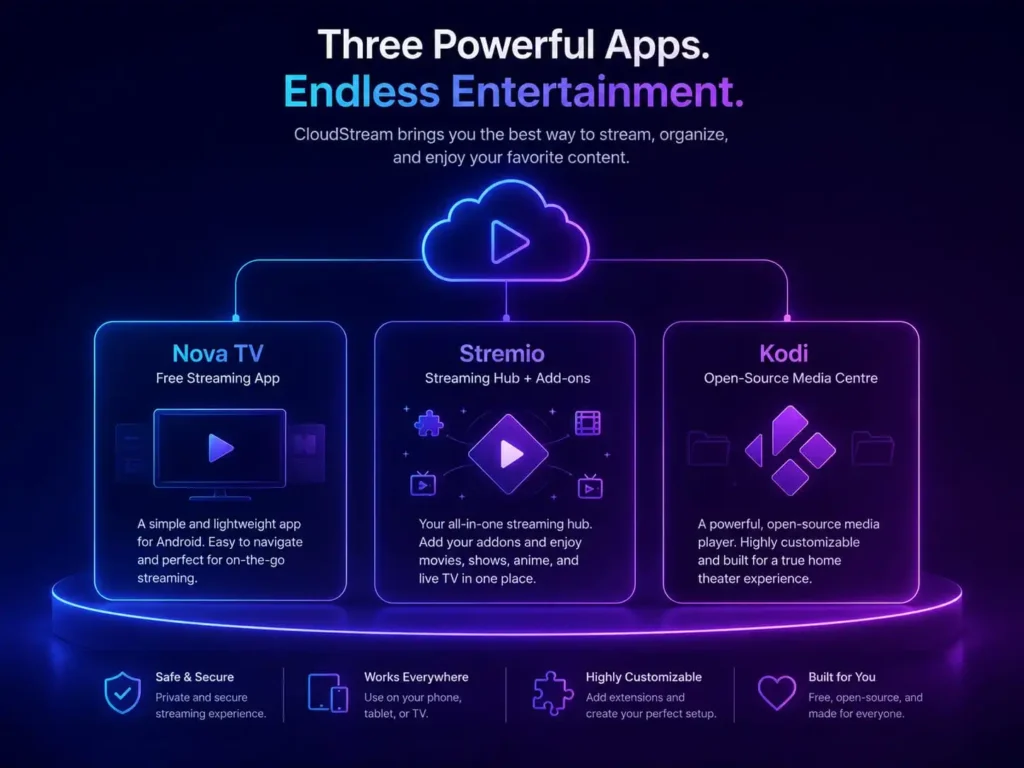
No single app is perfect on every device. Here is how it compares with the most popular alternatives, and when each one makes more sense.
| App | Setup | Open source | Offline downloads | Best for |
|---|---|---|---|---|
| CloudStream | About 5 minutes | Yes, GPL-3.0 | Yes, with a queue | Control over sources, anime, TV and phone |
| Kodi | Long and technical | Yes | Limited | Power users who enjoy building custom setups |
| Stremio | Quick | Partly | No | A polished catalog app run through add-ons |
| BeeTV | Instant | No | Yes | Quick movie and TV links with no setup |
| Nova TV | Instant | No | No | Simple, lightweight casual viewing |
| TiviMate | Needs a playlist | No | No | Live TV only, with your own IPTV playlist |
Kodi
Kodi is the original open-source media center and extremely powerful, but installing repositories, configuring add-ons, and fixing broken builds feels more like a project than an app.
Stremio
Stremio is a polished catalog app that gets its streams from add-ons; it looks great but doesn’t offer offline downloads.
BeeTV and Nova TV
BeeTV and Nova TV work instantly, but they are closed-source and give you no control over where links come from.
If you want something that works in minutes, stays free, and lets you check exactly what it does on GitHub, this app is the better choice.
CloudStream APK Pros and Cons
Most sites list only the good parts. Here is the full picture.
Pros
Completely free. There is no trial and no premium tier, and that has held true through every version.
Offline viewing. Queue several episodes before a trip and watch with no signal.
Remembers your place. Close it mid-episode and it picks up exactly where you left off.
Transparent code. The source is public on GitHub, and the official APK scans clean on VirusTotal.
Cons
Some sources are region-locked. A VPN can help, but that’s one more thing to set up.
Links sometimes go down. Switching to the next link takes seconds, but not every link works every time.
A short first-time setup. The app opens empty until you add a repository once.
Not on the Play Store. You sideload the APK, so there’s no one-tap install.
Is CloudStream APK Safe and Legal?
Safety. The app itself is safe when you get it from a trusted source. Its full code is public on GitHub, thousands of developers have reviewed it, and the official APK scans clean on VirusTotal. The real risk comes from modified copies on random websites, so always download from GitHub or a page like ours that links to the official build.
Legality. The app is a legal, open-source media player licensed under GPL-3.0, and it hosts no content of its own. Whether a particular stream is legal depends on the extension you use and the copyright laws in your country. We recommend using sources that respect copyright, and you can read more in our terms and privacy policy.
This website is an independent guide. We are not affiliated with the CloudStream developers, and we don’t host any videos, repositories, or extensions.
CloudStream FAQ
It is a free, open-source Android app for streaming and downloading movies, shows, anime, and live TV. It has no built-in content, so you add repositories and extensions to choose your own sources.
The latest stable release is CloudStream v4.8.0, which adds an intro-skip database, a metadata overlay on TV, more external players, and security and download fixes.
Yes, completely. There is no subscription, no trial, and no in-app purchase.
That’s expected. Go to Settings, then Extensions, then Add Repository. Content won’t appear until you add a source.
No. You install it as an APK file, which is standard for open-source, extension-based apps like this one.
Yes. It works the same on both, and the v4.8.0 TV overlay makes it even better on a big screen. Our Fire TV and Android TV guides show how to get the file onto each device.
Yes, through an Android emulator such as BlueStacks, or through Windows Subsystem for Android (WSA) on Windows 11.
Yes, when you download the official build. The code is public on GitHub and the APK scans clean on VirusTotal, so avoid modified copies from unknown sites.
Usually not. Most content plays without one, and a VPN only helps with the few sources that are blocked in certain countries.
Usually because of copyright takedown requests. It’s a normal part of how the system works, and the fix is to find the current link, not to reinstall the app.
Yes. Since v4.7.0, the app can stream torrents through extensions that support them. Most extensions still use direct streaming links.
No, as long as you install the new APK over the old one. Uninstalling first can erase your setup, so skip that step.
The developers release updates whenever fixes or features are ready rather than on a fixed schedule, and extensions can update automatically in between.
Not officially. It is built for Android, Android TV, and Fire TV, and you can use it on a PC through an emulator.
Yes, it’s the same app. The official name is one word, but many people search for it as two.
Is CloudStream Worth Downloading?
Most free apps make you pay another way, through ads, tracking, or vanishing after a month. This app does none of that. It is open-source, needs no account, shows no ads, and no single company can shut it down overnight. If you’re tired of paying for streaming and still not finding what you want, this is the fix.